No order limit
Turn 50, 500, or 5,000 orders into a batch at once. No more paging through screens.
Turn any number of orders into a batch your team works through, start to finish
— scan every item to verify it before it ships, then fulfill straight from the app.
Fulfillment shouldn’t slow your store down. Most workflows in Shopify force you to select orders one page at a time — capped at 50. That’s fine for small shops, but a nightmare when you’re scaling.
Turn 50, 500, or 5,000 orders into a batch at once. No more paging through screens.
Filter by location, date range, order tags, and product type — then save common runs as a preset for next time.
Add a bin location column and sort pick lists by it, so pickers walk the warehouse in order.
Pickadoodl blocks an order from joining a batch when it would overdraw stock shared with another selected order — with the reason shown right in the list.
Scan barcodes or SKUs to verify what's picked, then again to verify what's packed — each with live progress.
Mark orders fulfilled the moment they're packed — no trip back to Shopify admin to close them out.
Leave notes for your team on any order, and a customer's own delivery note surfaces automatically when it's time to pack.
A full report of who did what and when — reprint any batch's pick list or packing slips, or tag its orders, even after it's shipped.
Export a batch's pick list to CSV for a 3PL or WMS handoff, or a real XLSX workbook with column widths and an autofilter already set.
Add your pickers and packers once in Settings — assign a role right from the batch instead of typing a name every time, with room for one-off help from anyone not on the roster.
Set a threshold in Settings, and any item at or below it gets a Low stock badge right on the pick list — before you've even started picking.
See batches, orders, and average time per person for picking and packing, right in Analytics.
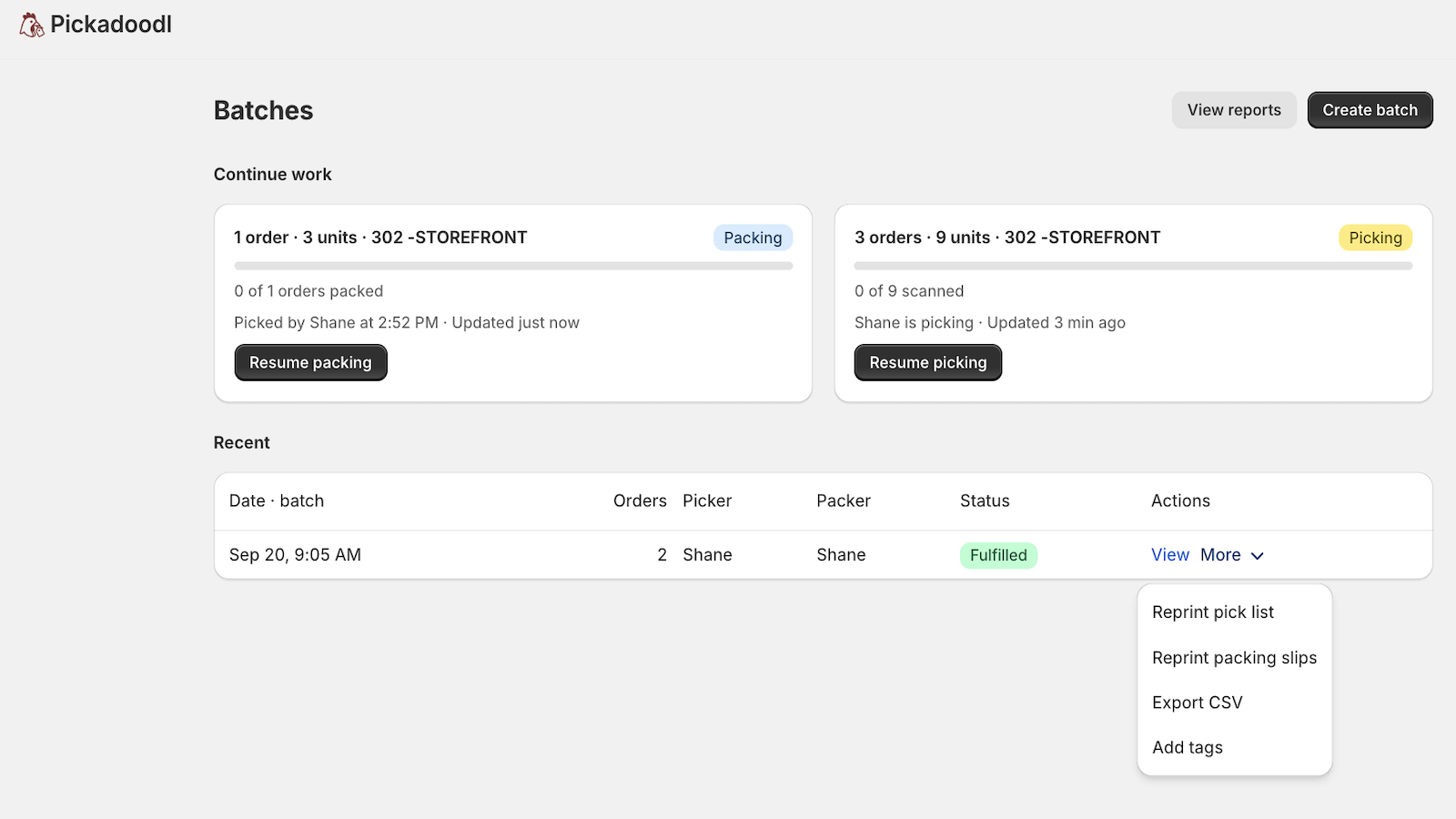
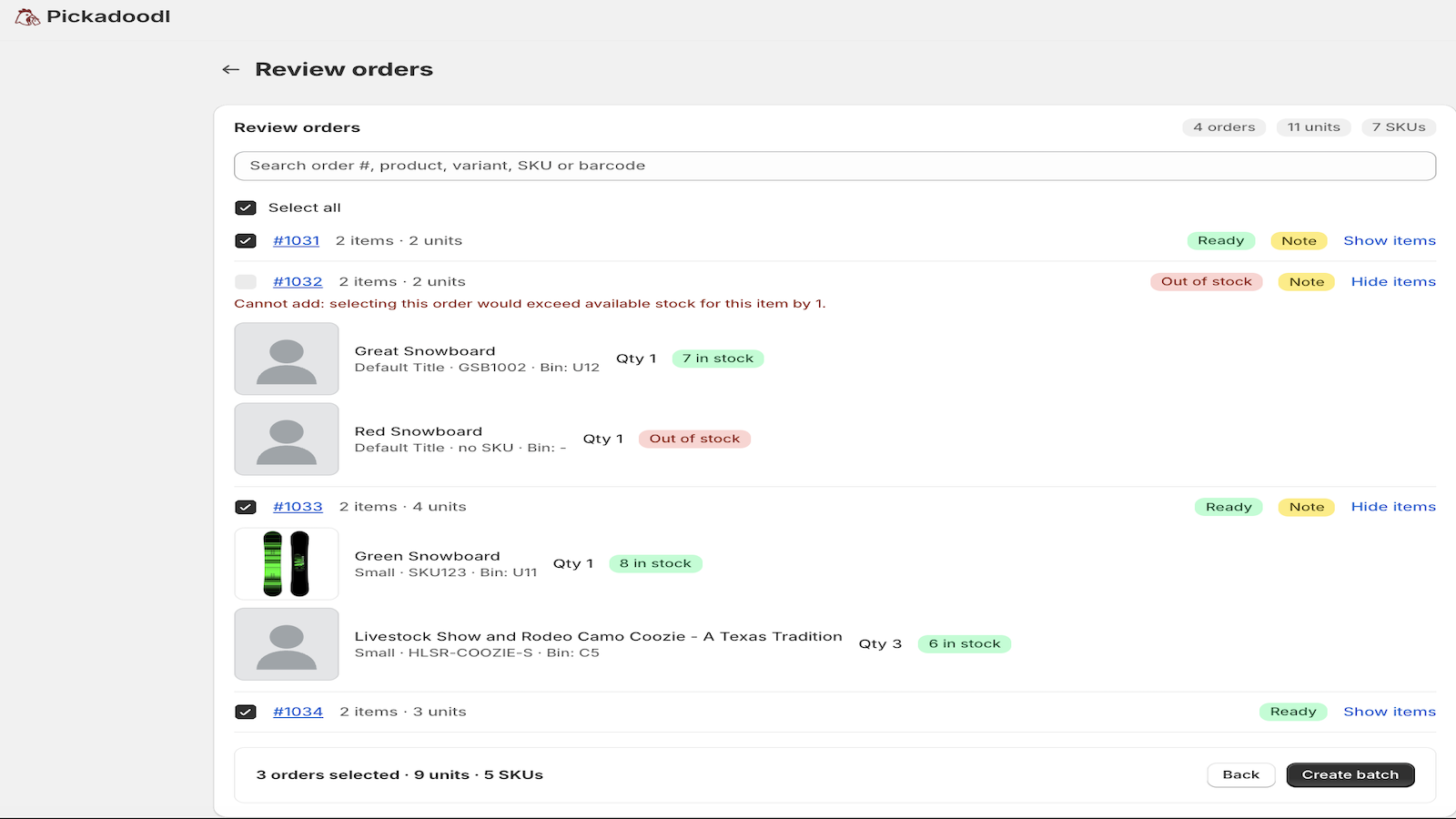
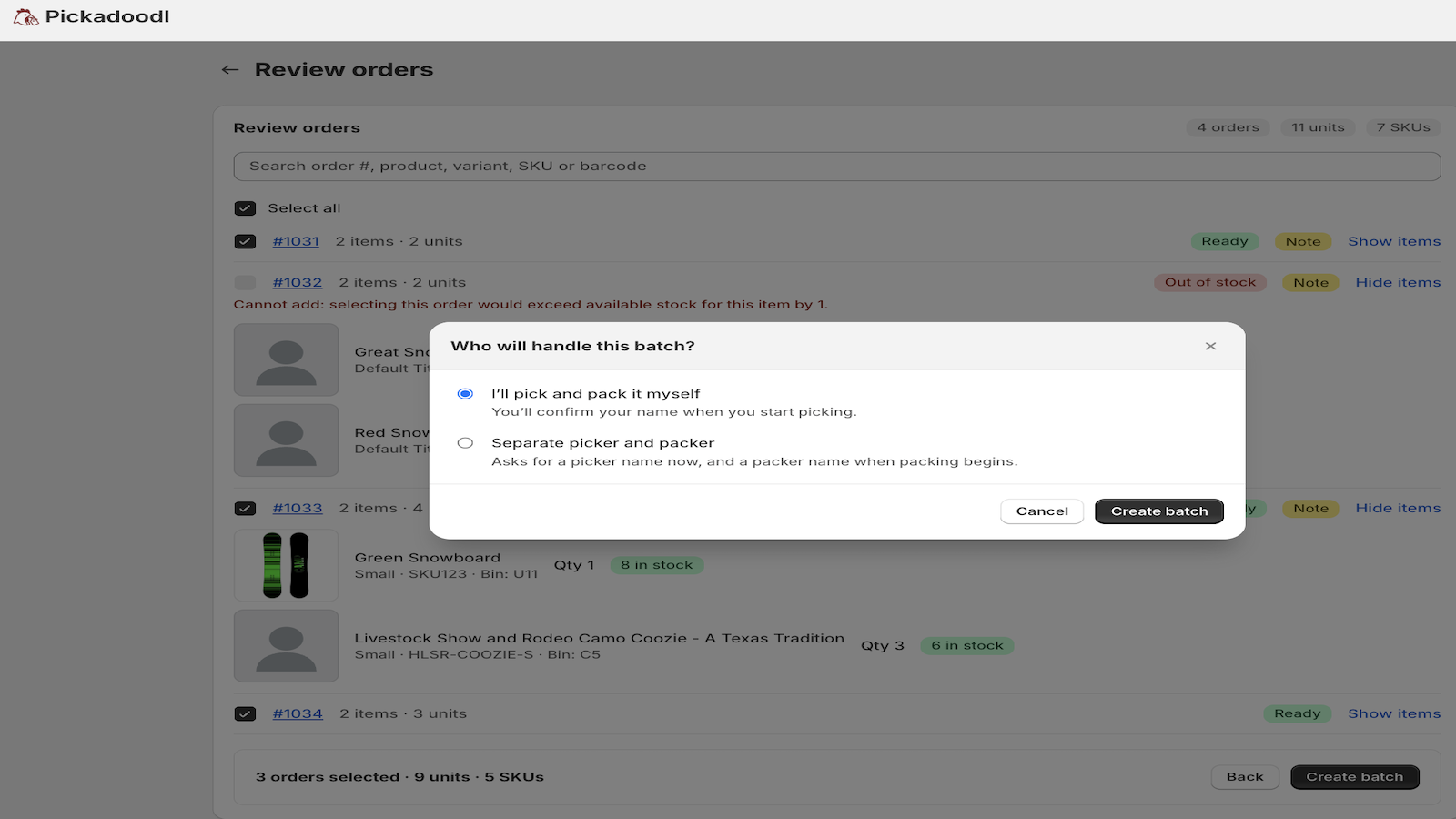
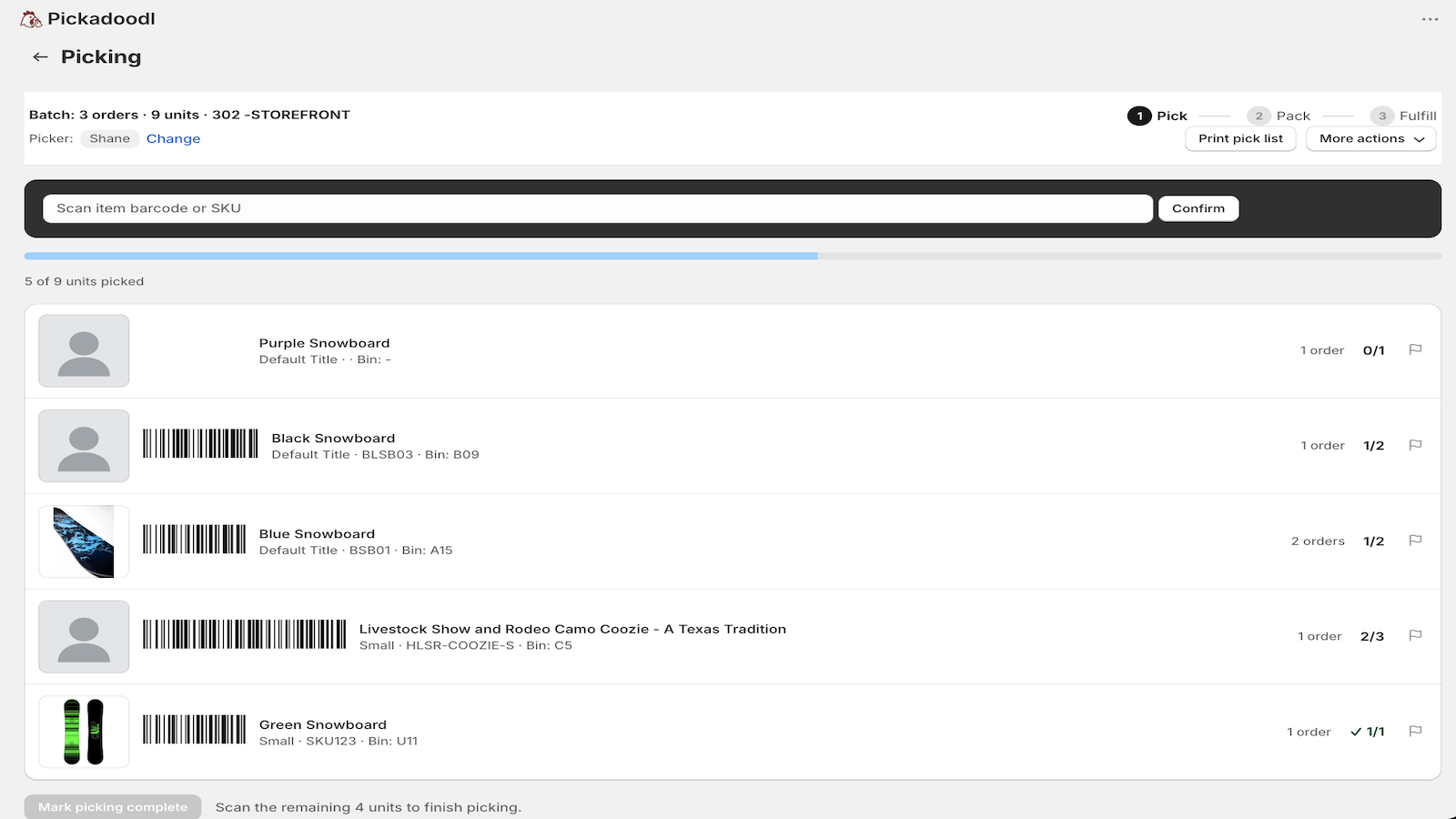
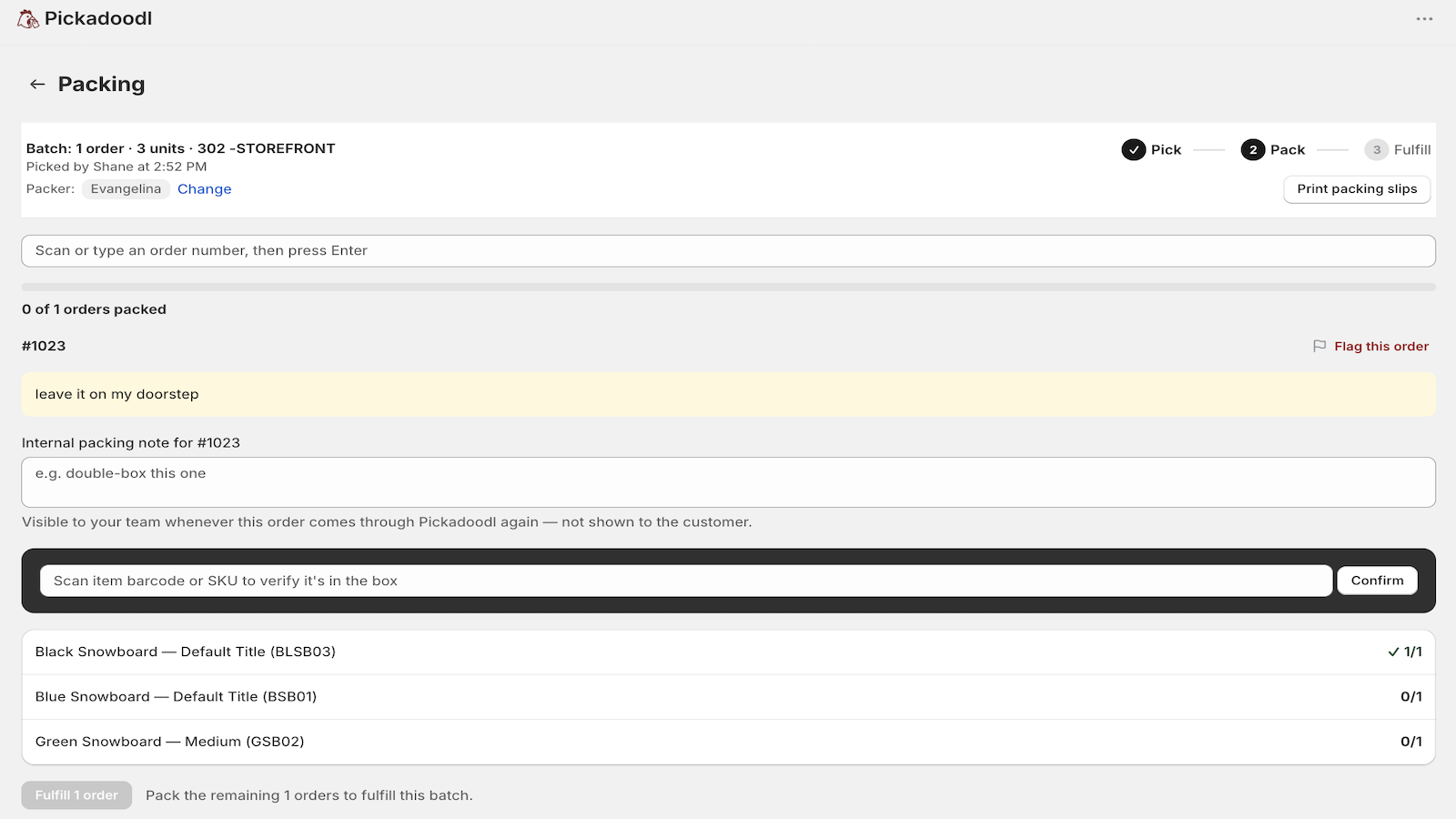
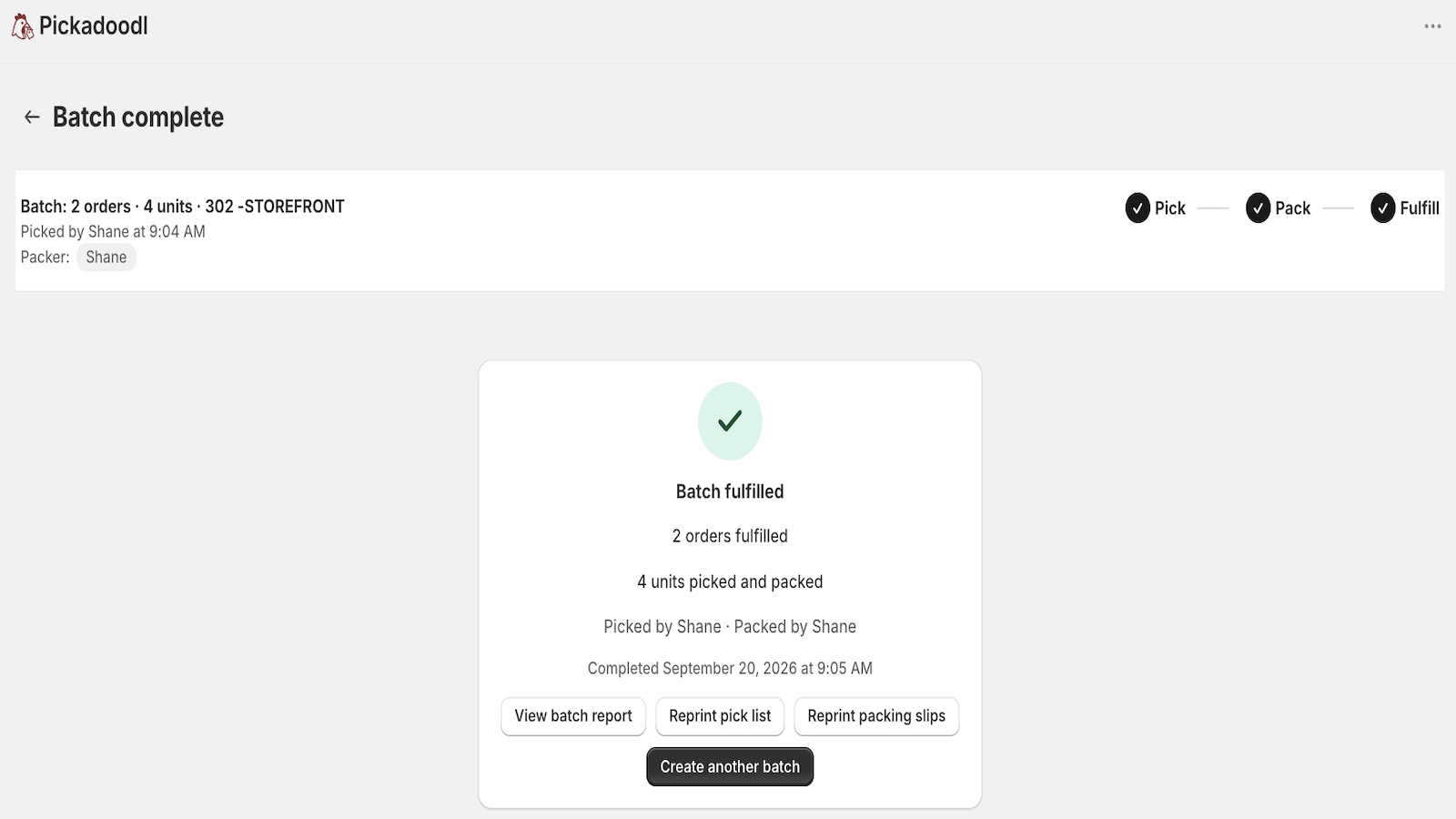
No more paging through orders 50 at a time.
Bin-sorted lists, smart stock checks, and double scan-verification catch mistakes before they ship.
Run multiple batches at once, and fulfill straight from the app when they're done.
Filter by location, date, tags, or product type — solo, or with a dedicated picker and packer.
I ship improvements to Pickadoodl regularly. Here's the latest.
No — Pickadoodl works out‑of‑the‑box. Just install, filter, and start picking.
Yes — you can print directly or save as PDF for your picking team.
Yes — you can print directly or save as PDF for your fulfillment team.
Yes — you can tag orders so you know they were picked, even after the batch has shipped.
Yes — mark orders fulfilled the moment they're packed, without switching over to Shopify admin.
Yes — choose a product metafield (like Bin Name) once in Settings, and it appears as a column on every pick list. Lists sort by bin so pickers walk the warehouse in order.
Yes — Pickadoodl checks inventory and flags out-of-stock or short items so you don’t send a picker after stock you don’t have.
Yes — use a barcode scanner (or type a SKU) to confirm each item as you pick, with live progress against the list.
Yes — export the grouped pick list to CSV to hand off to a 3PL or import into a WMS, in addition to printing or saving as PDF.
Most apps are limited by Shopify’s 50‑order selection. Pickadoodl removes that limit, turning any number of orders into a batch your team works through in one flow.
Pick, pack, and fulfill without leaving the app — with bin-sorted lists, smart stock checks, scan-to-verify, packer and customer notes, and a full report with reprints and tagging built in.
Install Pickadoodl and start picking orders without limits.
Free to start · paid plans from $10.99/month