Smart low stock detection
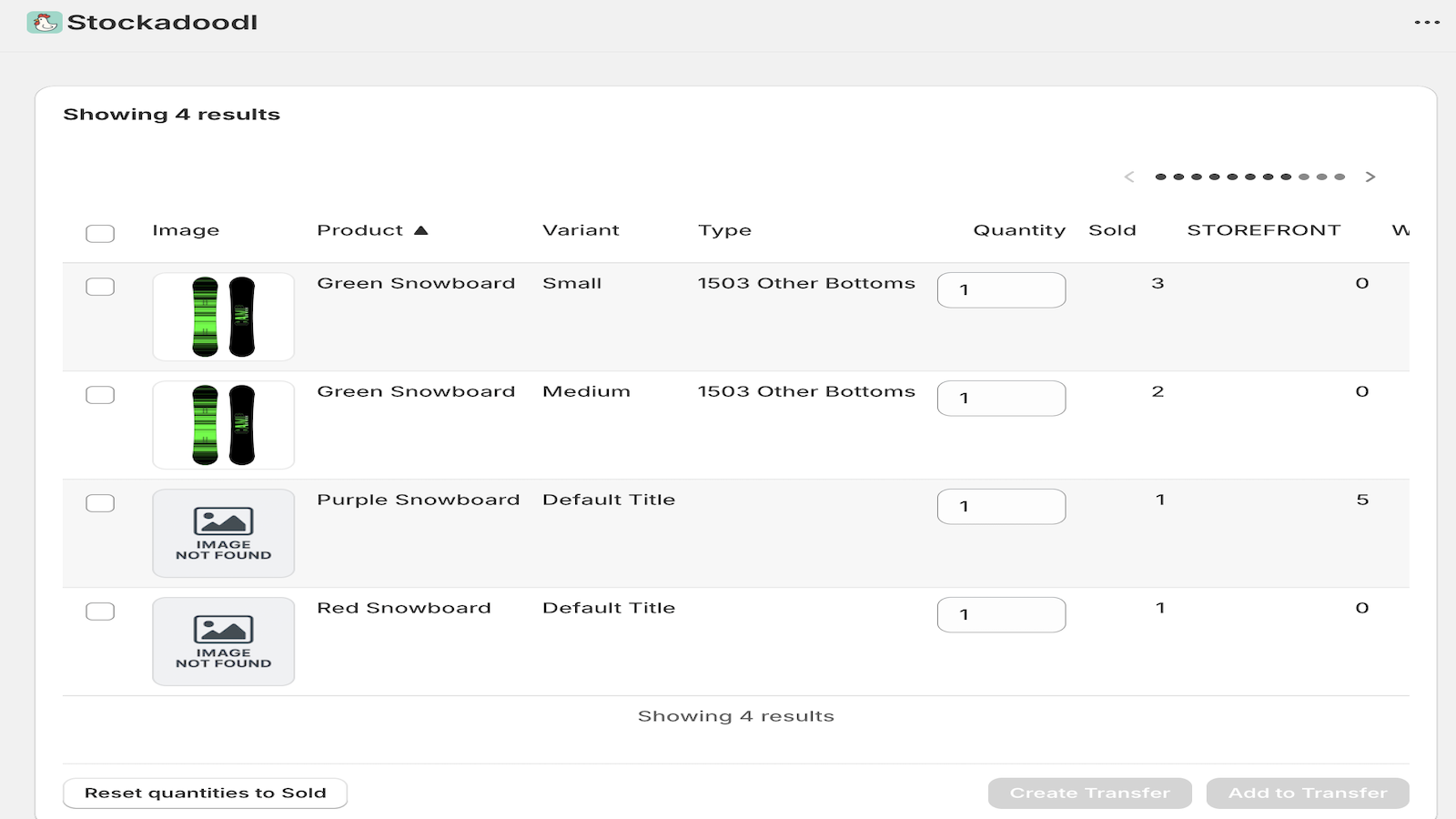
Spot products running low with sales-driven insights.

Stockadoodl is the Shopify inventory transfer app built for merchants running 2+ locations. Detect low stock across locations, create or update transfers, and print docs for your team — all in one workflow. No more spreadsheets or manual cross-referencing.
Inventory transfers between locations shouldn’t take 30–60 minutes. Multi-location Shopify merchants waste time flipping between inventory reports, spreadsheets, and the transfers screen. Stockadoodl consolidates it all into one smooth workflow — detect low stock, build the transfer, print the doc.
Spot products running low with sales-driven insights.
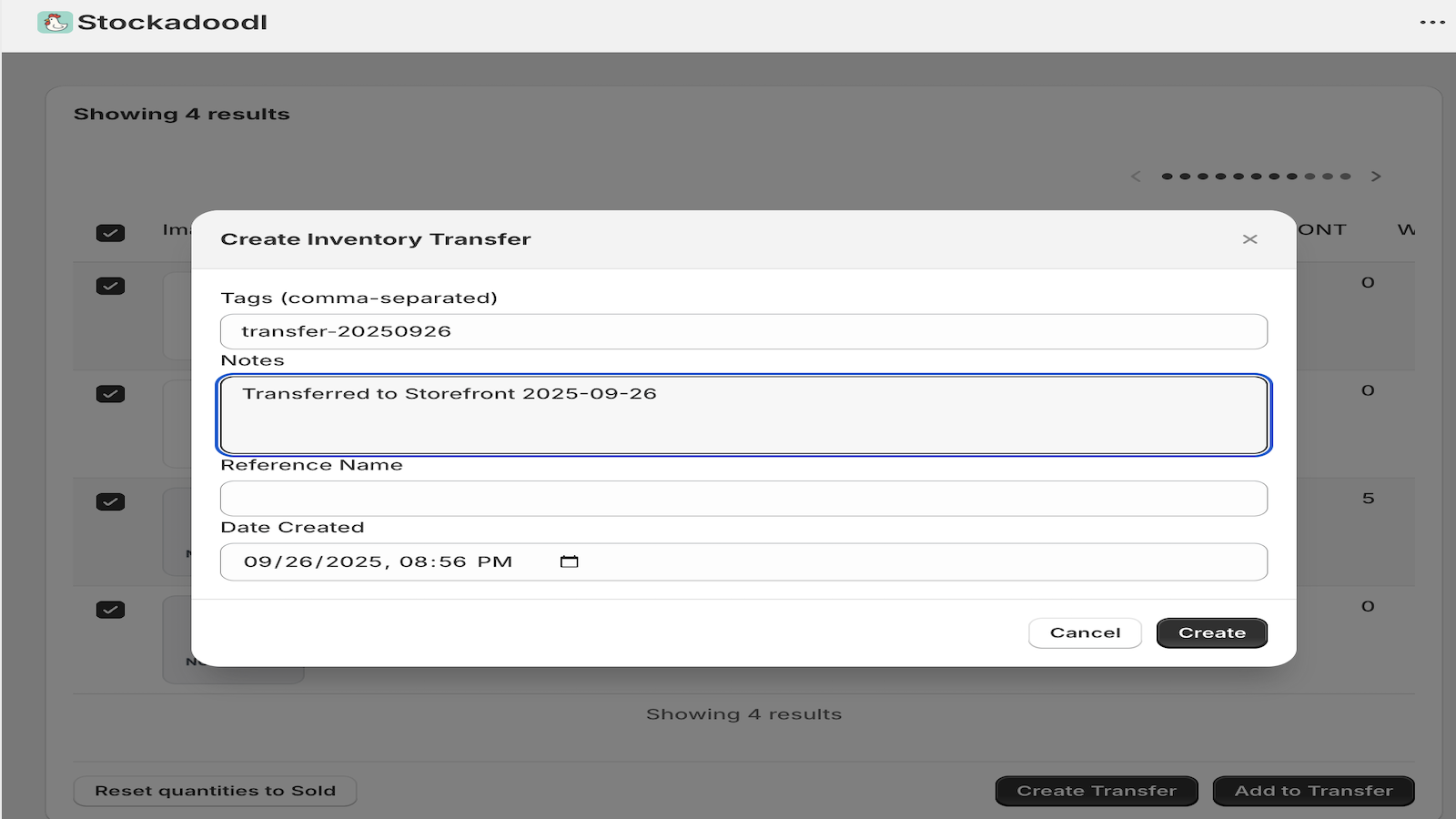
Build transfers directly — no spreadsheets needed.
Add variants to new or existing transfers quickly.
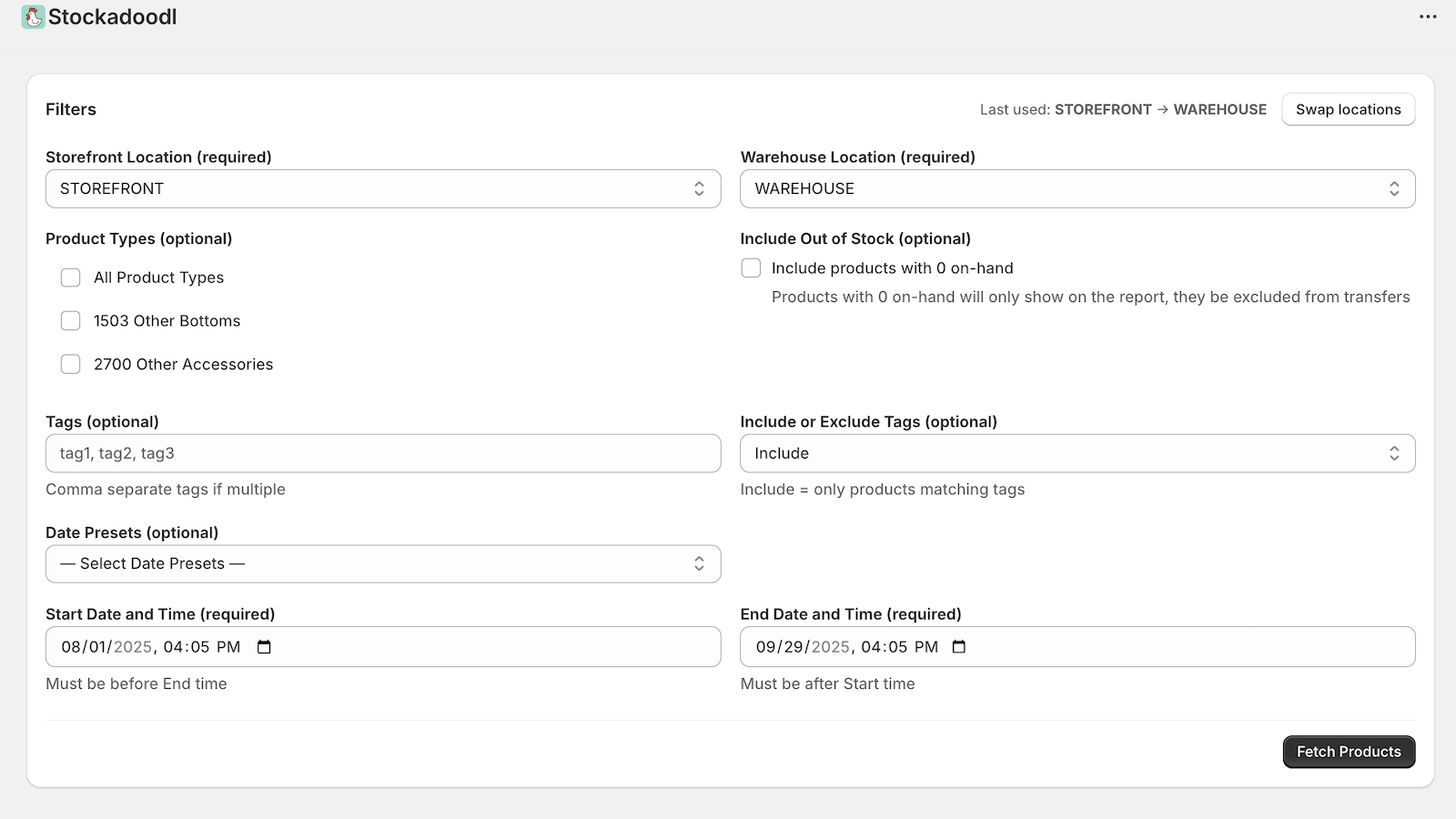
Filter by location, date, product type, tags, or stock status.
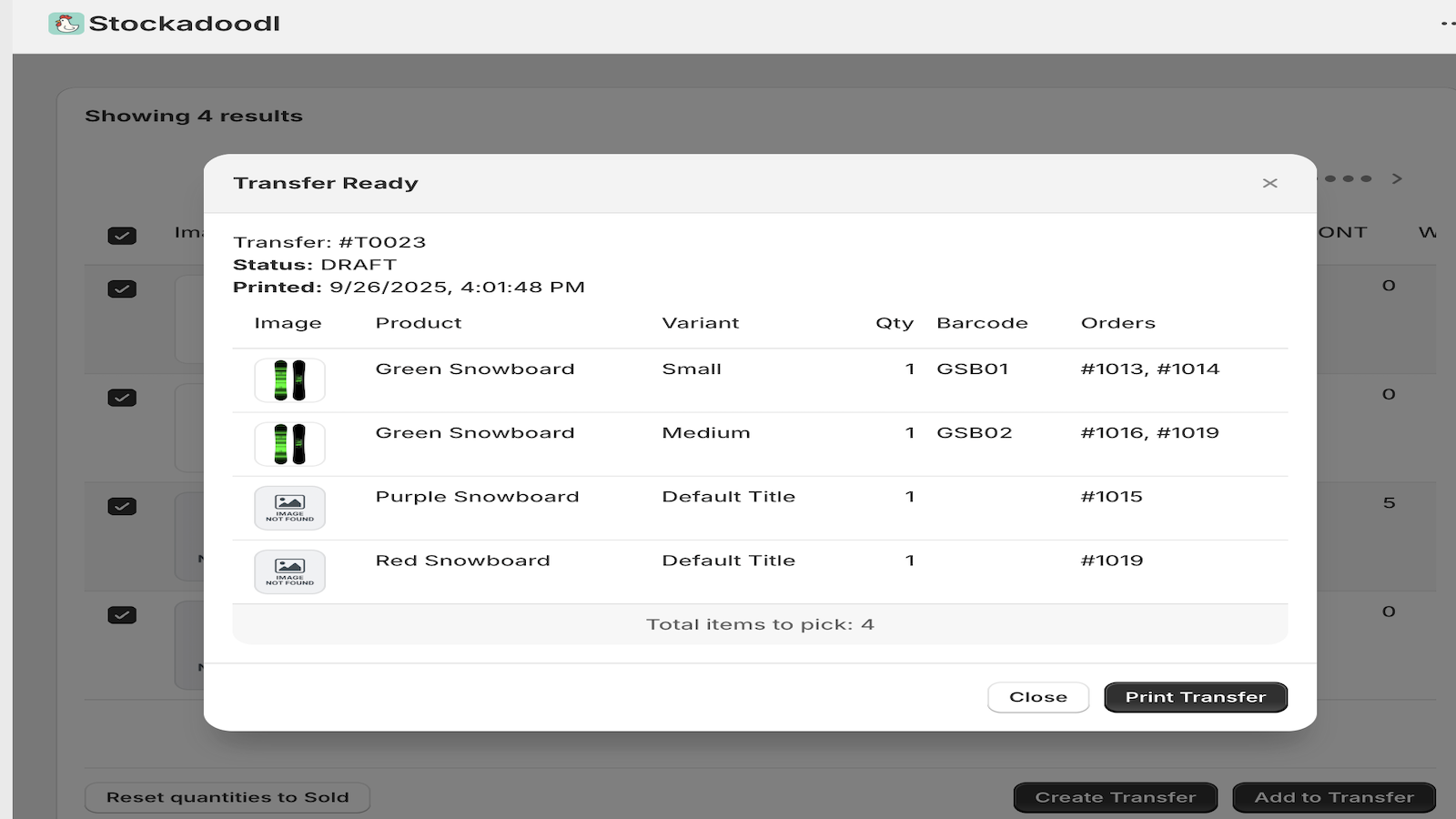
Generate clean transfer documents for your team.
Cut transfer time from an hour to minutes.
Keep shelves stocked with sales-driven insights.
Reporting and transfers in one place.
Unlimited products, variants, and transfers.
Just install and go — Stockadoodl connects to your Shopify store instantly and works with your existing locations and inventory workflow.
Yes — Stockadoodl is built specifically for multi-location merchants. Filter by source and destination location, see low stock across all your locations, and create transfers between any two.
Stockadoodl makes it simple: select your locations and date filters, fetch products running low, choose what to move and how much, then create a transfer in one click. No manual spreadsheet work needed.
Yes — select your products and quantities, then choose Add to Transfer to append to an existing Shopify inventory transfer.
Yes — generate clean, printable transfer documents your team can use on the floor or in the warehouse.
Shopify's native transfers require you to manually identify low stock yourself, then build the transfer product by product. Stockadoodl combines the detection and transfer creation into a single screen — so what normally takes 30–60 minutes takes a few minutes.
Install Stockadoodl and complete transfers in minutes, not hours.
$12.99/month · Free trial available